Every QR code and barcode, read in an instant.
Point your camera and get a link to open, a Wi-Fi network to join or a product to look up. Then create your own QR codes and barcodes in 11 formats.
On a computer? Scan this with your phone to install the app.
- 4.0 on Google Play
- 100K+ downloads
- Free on Android
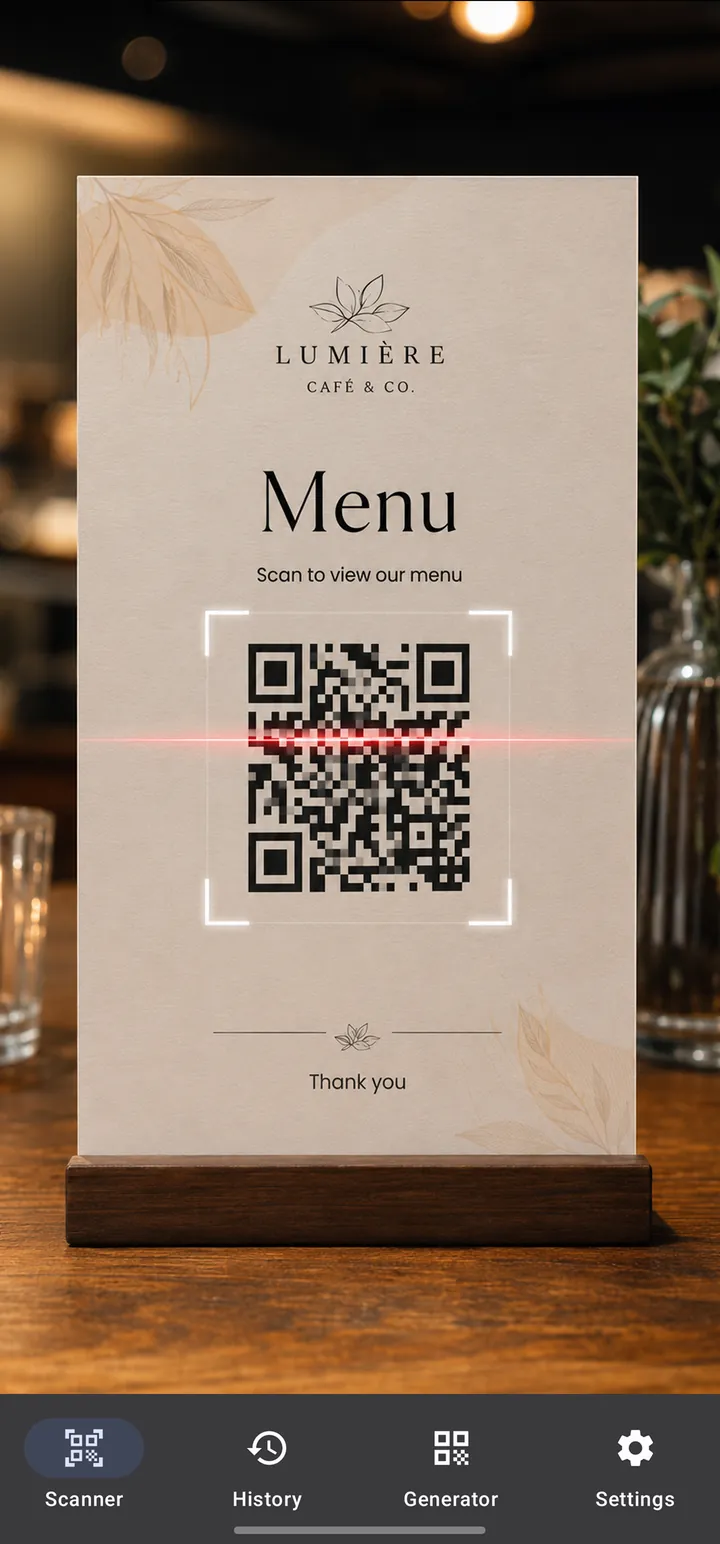
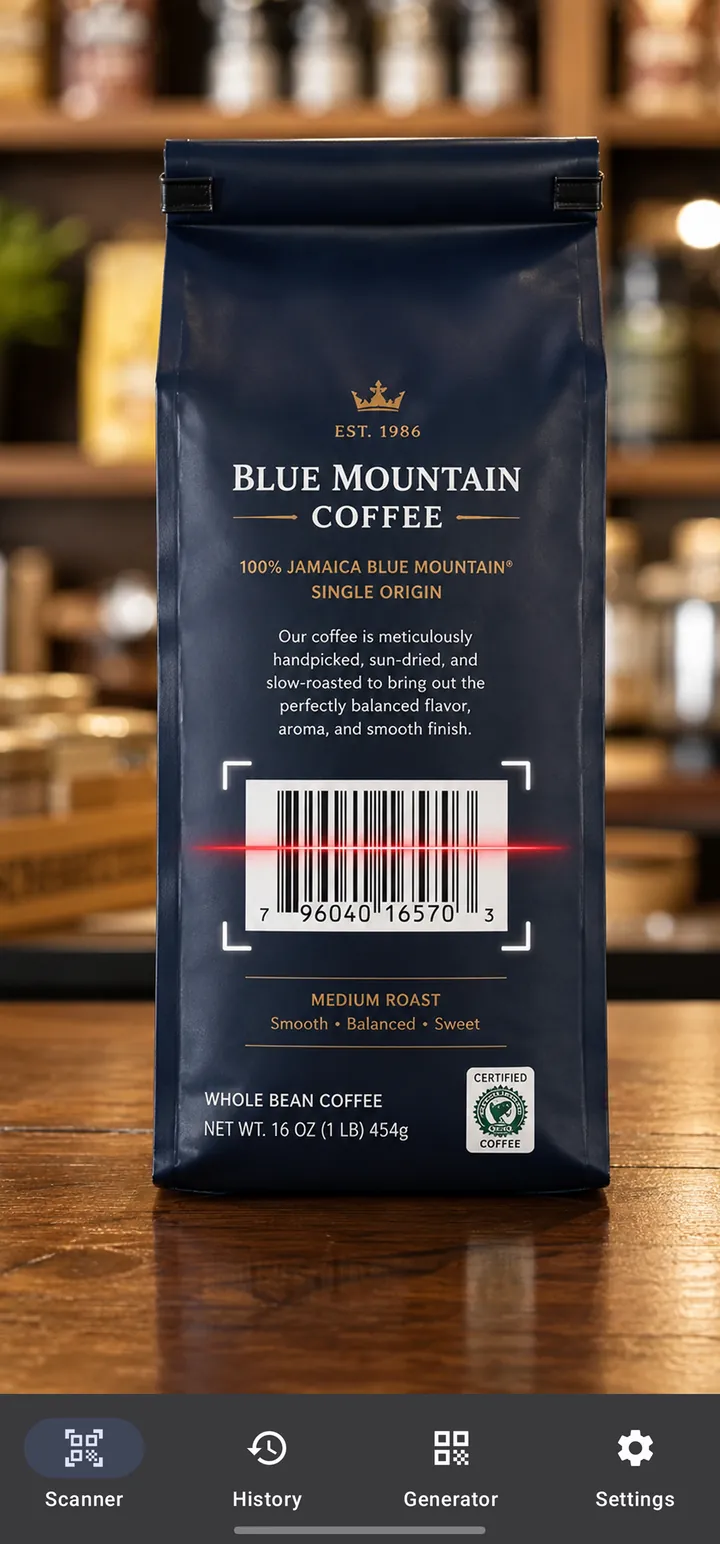
Point the camera. There's no button to press.
Scanning starts the moment a code is in view, and stays fast and reliable in tricky light.
- Camera or gallery
- Scan live with the camera, or pick a photo or screenshot from your gallery.
- Flashlight
- Turn on the light to read codes in a dim restaurant or a parking garage.
- Quick Settings tile
- Start scanning from your notification shade without opening the app first.
It understands the code, not just the text in it.
Every result comes with the action that fits it.
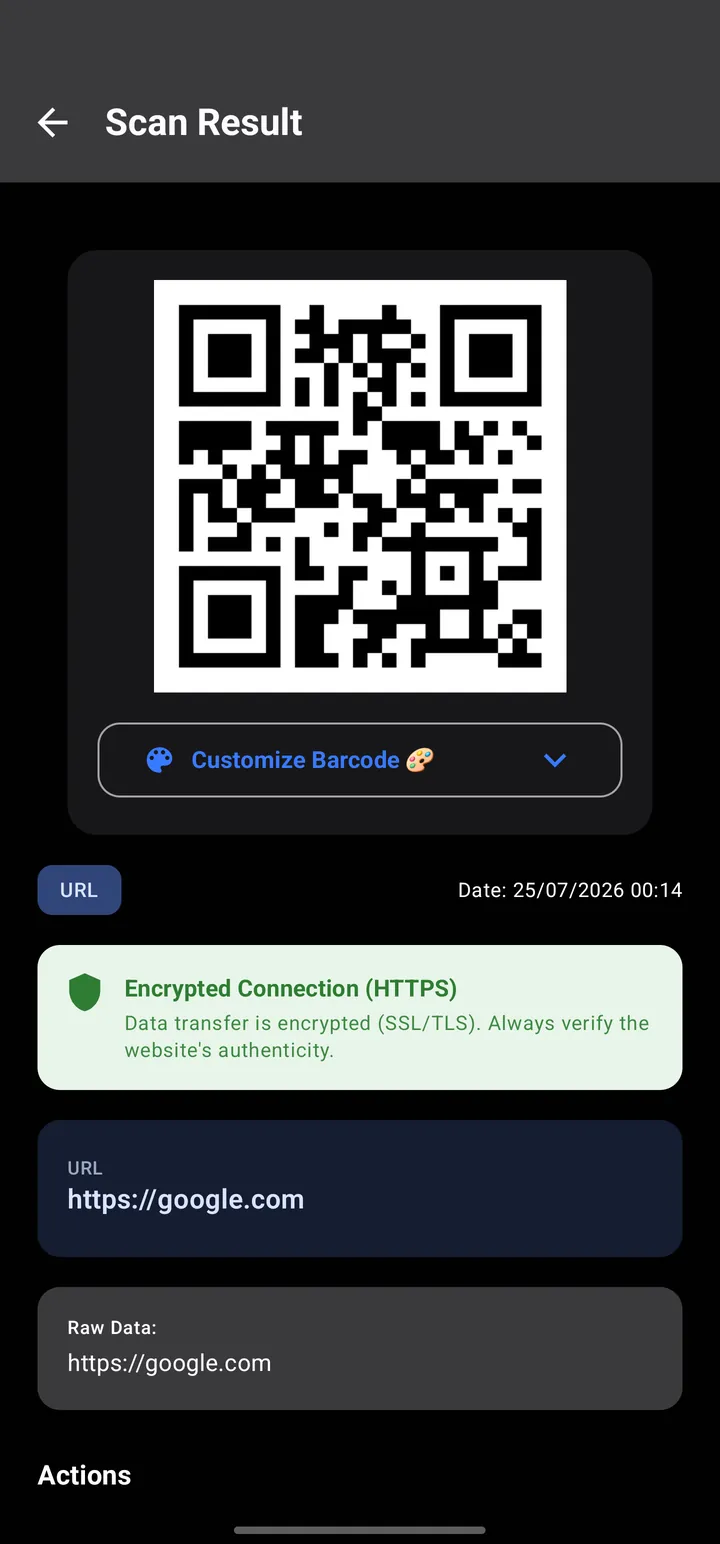
Open the link in your browser, and see whether the connection is encrypted before you go.
- Open link
- Copy
- Share as image
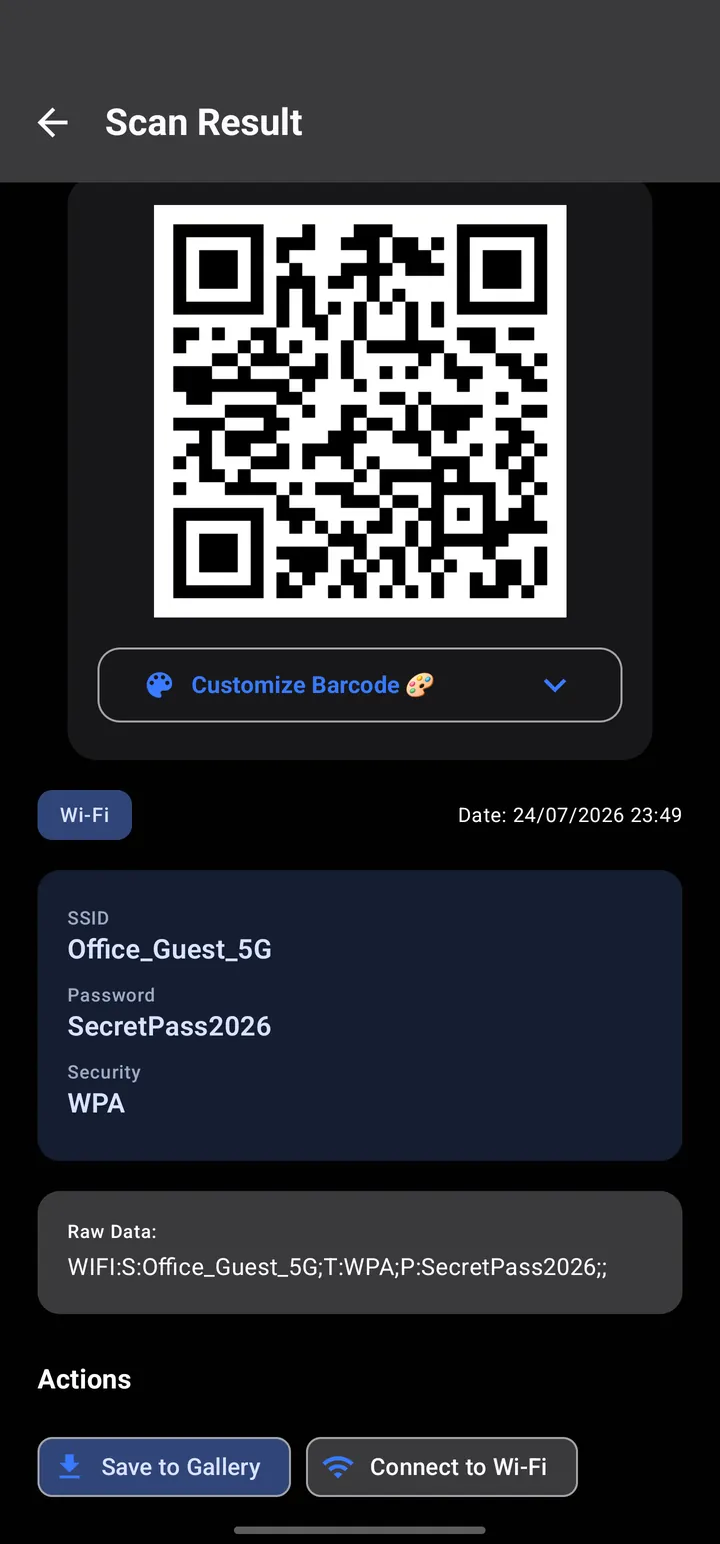
Join the network in one tap. The name, password and security type are shown too, so you can pass them on.
- Connect to Wi-Fi
- Copy
- Save to gallery
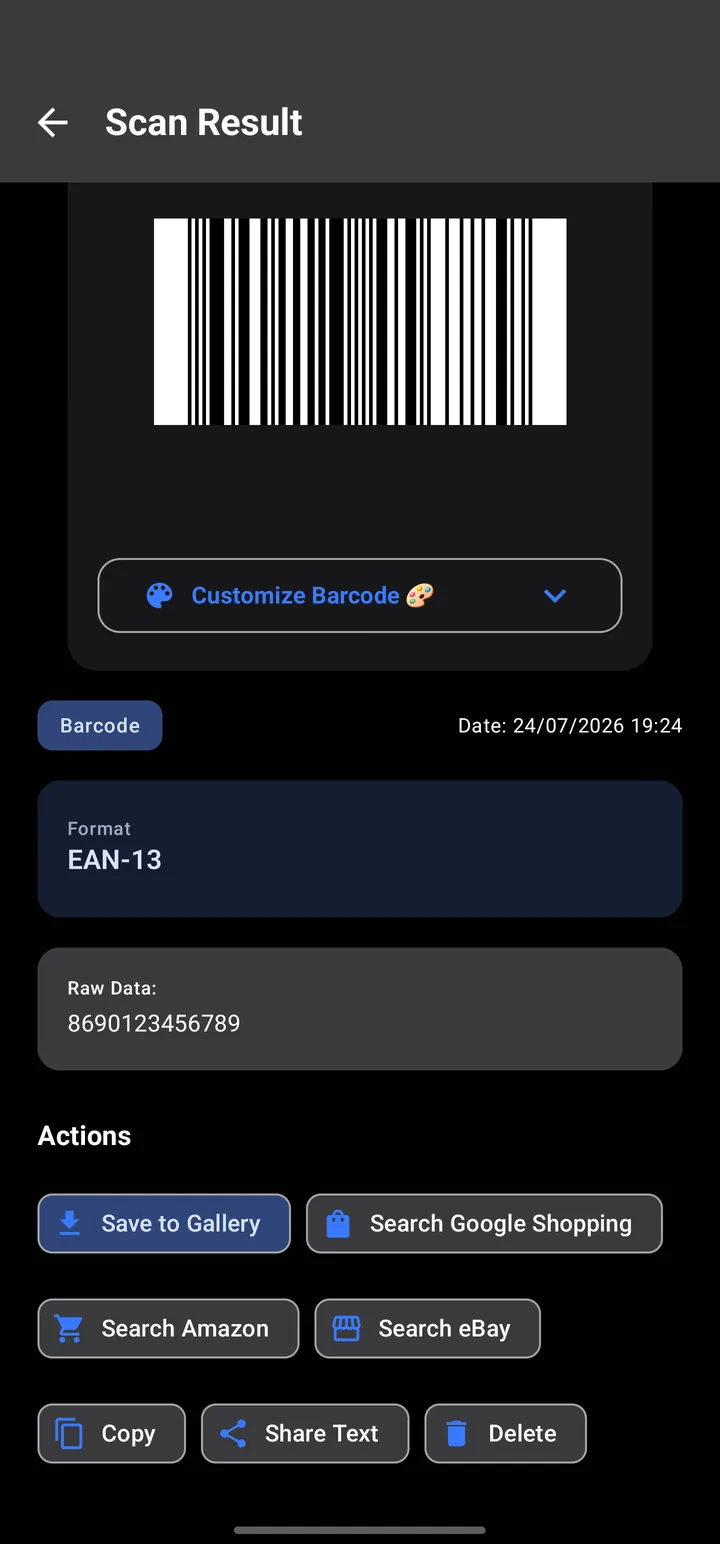
Look the product up on Google Shopping, Amazon or eBay in one tap. ISBN codes on books open in Google Books.
- Search Google Shopping
- Search Amazon
- Search eBay
Phone numbers, contacts, SMS, email, map locations and calendar events get their own actions as well.
Make a QR code for anything you want to share.
Choose what the code should do, fill in the details, then save or share it as an image.
What a QR code can hold
- Text
- Website
- SMS
- Phone number
- Wi-Fi network
- Contact card
- Calendar event
- Location
How it looks
- Pick the foreground and background colors
- Add a caption above or below the code
- Choose the output resolution before you save
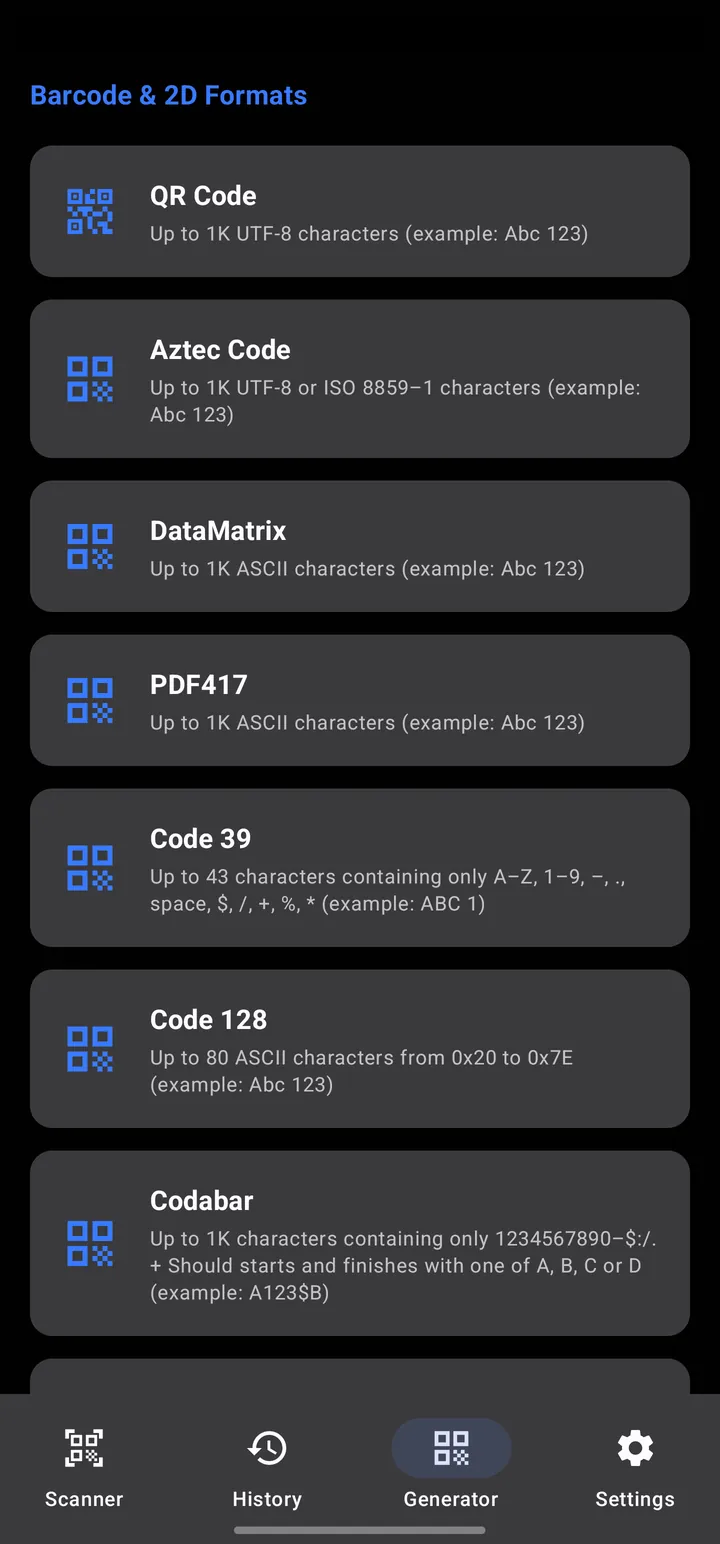
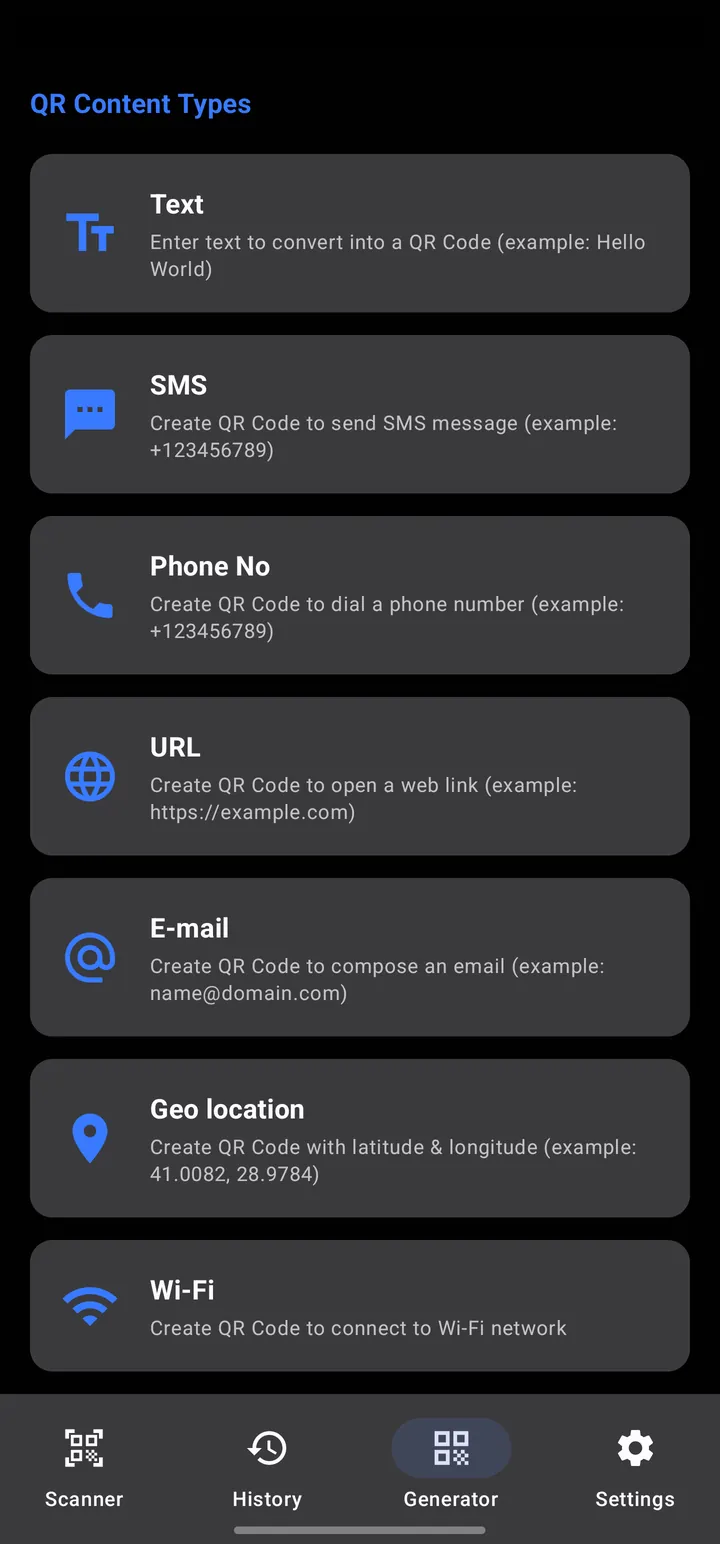
The barcodes shops, warehouses and printers already use.
Beyond QR, the generator makes ten standard formats for labels, stock and shelves.
-
QR Code
Links, menus, Wi-Fi and contact cards
-
Aztec
Boarding passes and transit tickets
-
Data Matrix
Marking small parts and electronics
-
PDF417
ID cards and shipping documents
-
Code 128
Shipping labels and logistics
-
Code 39
Asset tags and industrial labels
-
Codabar
Libraries and blood banks
-
EAN-13
Retail products worldwide
-
EAN-8
Small retail packages
-
ITF
Outer cartons and cases
-
UPC-A
Retail products in North America
-
Your own
Make any of these in the app and save it as an image.
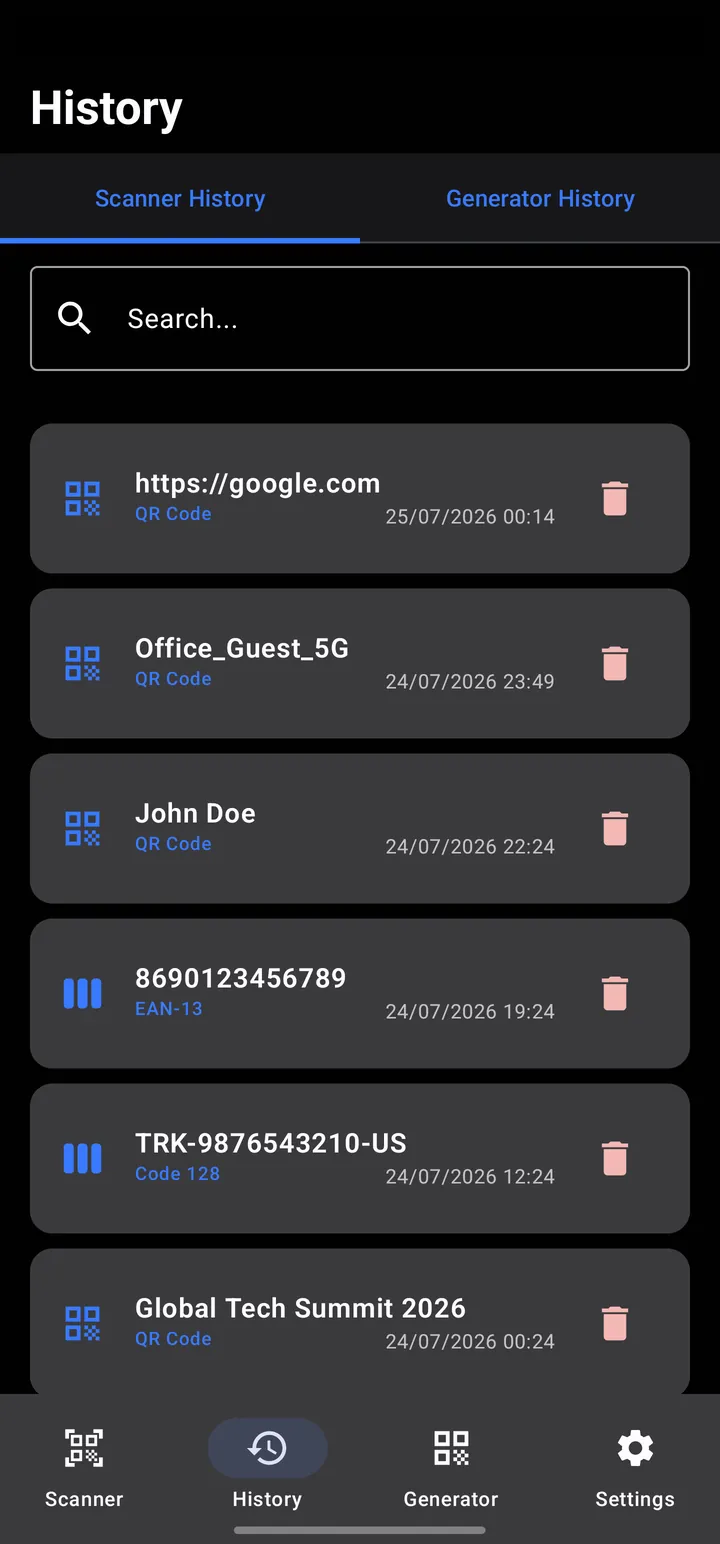
Find any code you've scanned or made.
Scans and generated codes live in separate, searchable tabs. Delete one entry or clear everything in one tap, and reopen any code you made to edit and print it again.
It asks for access only when a feature needs it.
Picking an image from your gallery needs no storage permission. Contacts, calendar and Wi-Fi access are requested only at the moment you save a contact, add an event or join a network.
Light or dark. Use the light theme, the dark theme, or let the app follow your system.
Questions people ask
Is the app free?
Yes, it's free to download from Google Play. It shows ads and offers optional in-app purchases.
How do I scan a QR code on Android?
Open the app and point your camera at the code. It's read as soon as it's in view, with no button to press. You can also start scanning from the Quick Settings tile.
Can I scan a QR code from a screenshot or photo?
Yes. Tap the gallery button and pick the image. The app doesn't need storage permission for this.
How do I connect to Wi-Fi with a QR code?
Scan the network's QR code and tap Connect to Wi-Fi. The network name, password and security type are shown on the result screen as well.
Can I check a product's price by scanning its barcode?
Scan the barcode on the package, then search for the product on Google Shopping, Amazon or eBay in one tap. ISBN codes on books open in Google Books.
Which barcodes can I create?
QR Code, Aztec, Data Matrix, PDF417, Code 128, Code 39, Codabar, EAN-13, EAN-8, ITF and UPC-A. A QR code can hold text, a website, an email, an SMS, a phone number, a Wi-Fi network, a contact card, a calendar event or a location.
Does it work in the dark?
Yes. Turn on the flashlight from the scanner screen to read codes in low light.
Which permissions does the app need?
The camera, to scan. Contacts, calendar and Wi-Fi access are requested only when you use a feature that needs them, such as saving a contact.
Is there an iPhone version?
Not at the moment. The app is available for Android on Google Play.
Install it once. Scan everything after.
Free on Google Play for Android phones and tablets.